Compare
Select one IE. Expand the history list inunder.
-
Mark two versions in the history list.
-
Select Compare using :
-
Select

-
-
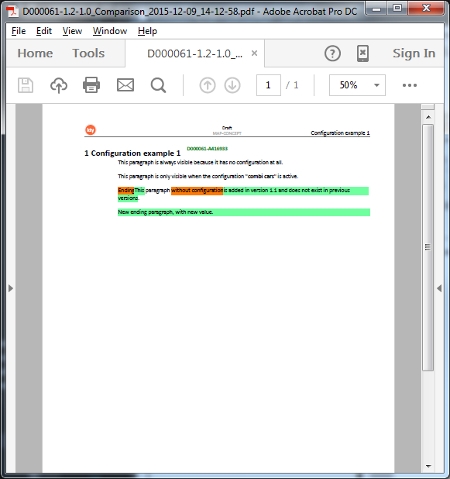
The following window comes up :
-
Select stylesheet you want to use to display the compare result. The Review version is recomended since it shows also other important information like topic numbers, configuration etc.
-
Select the language you want to compare
-
Select Compare options. "Old and New" lists all differences. "New only" only list new and "Show Id" gives the option to list Id's (also included in Review, so not needed if the Review stylesheet is selected)
-
Click on the OK button to start the compare, or Cancel to abort.
-
If you un-select "Start Associated program", you need to open the compare result file manually in your "Local Cache" folder.
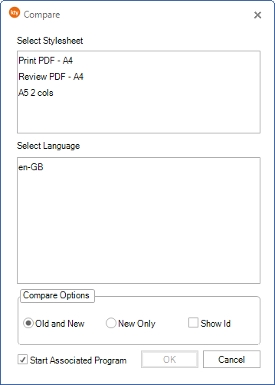
After a while, depending on the size of your IE with it's included fragments and graphics, the result comes up as a pdf file like below. Green marks new or changed info, orange marks old deleted info between the two versions you selected.