How to create a shortcut to the latest version of Kentucky
October 2015 hint
It´s important to make the shortcut correct, in order to make sure that your implementation of Kentucky always is up to date. Here is how you do it:
-
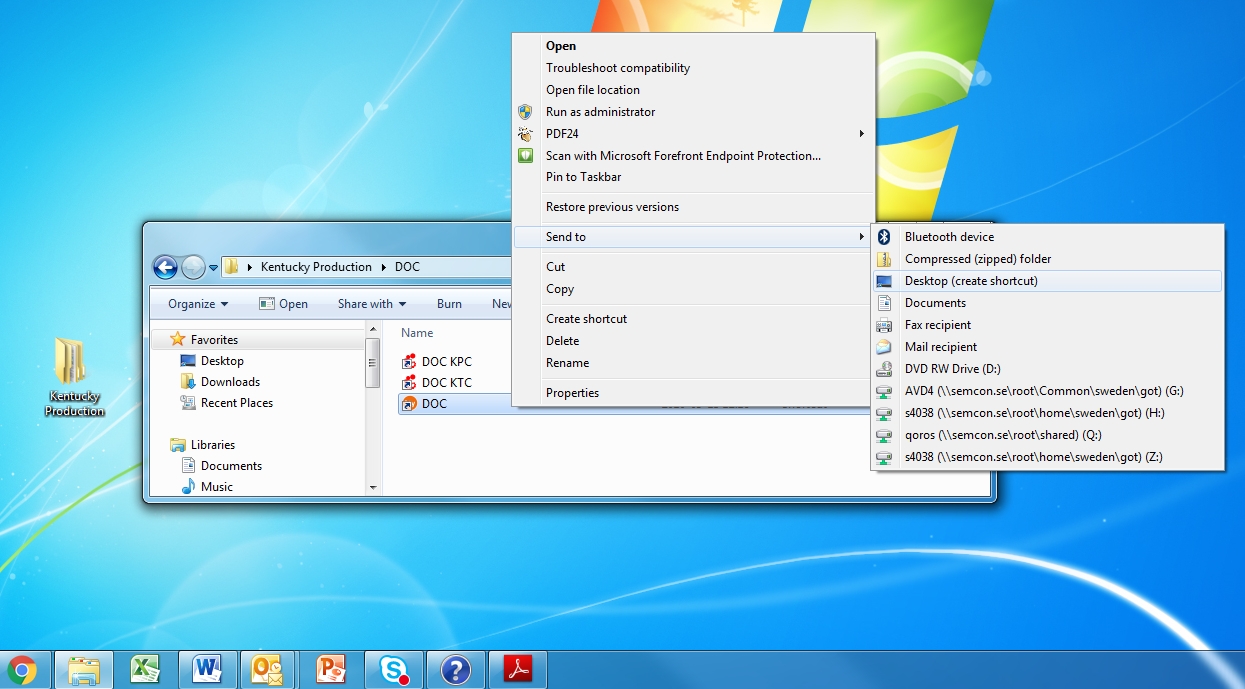
Open the Kentucky folder that was created on your desktop if you followed the installation instructions
-
Right click Kentucky icon of your implementation
-
Select “Send to”
-
Select “Desktop (create shortcut)”
-
This will create a Kentucky short cut icon on your desktop
Related articles