Create Project
-
Select the folder containing the tasks that should be included in the project.
-
Right-click and select .
-
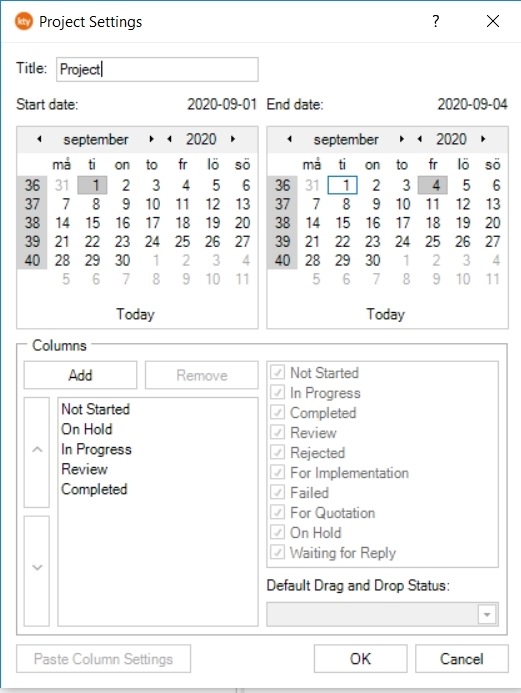
Enter information for the new project and click OK.
-
Title: The title of the project.
-
Start Date: When the projects starts. Must be selected.
-
End Date. When the project ends. Must be selected.
It’s also possible to edit the columns that should be visible in the task board.
 hint
hintTo use previously defined board column settings on a new project, right-click on the project with the settings you wish to copy and select . Then right-click on the folder with the new tasks and select .
-
-
Select the project members and click OK.
Users that are already assigned to a task in the project are added by default but can be removed.
Related articles